



.png)
The Challenge of Managing Multiple Properties
Every property manager knows that overseeing one building is demanding—but handling several at once without the right tools can quickly spiral into chaos. Each building has its own compliance timelines, maintenance records, and occupant requests. When that information lives in separate systems or spreadsheets, clarity disappears, and time is lost chasing updates instead of delivering results.
Traditional property management tools weren’t designed for multi-building portfolios. According to a McKinsey report on operational efficiency in real estate, the biggest cause of wasted hours is fragmented data—information scattered across multiple sources that prevents teams from seeing the full picture.
Ordit solves that problem with one centralized hub: the Buildings Tab.
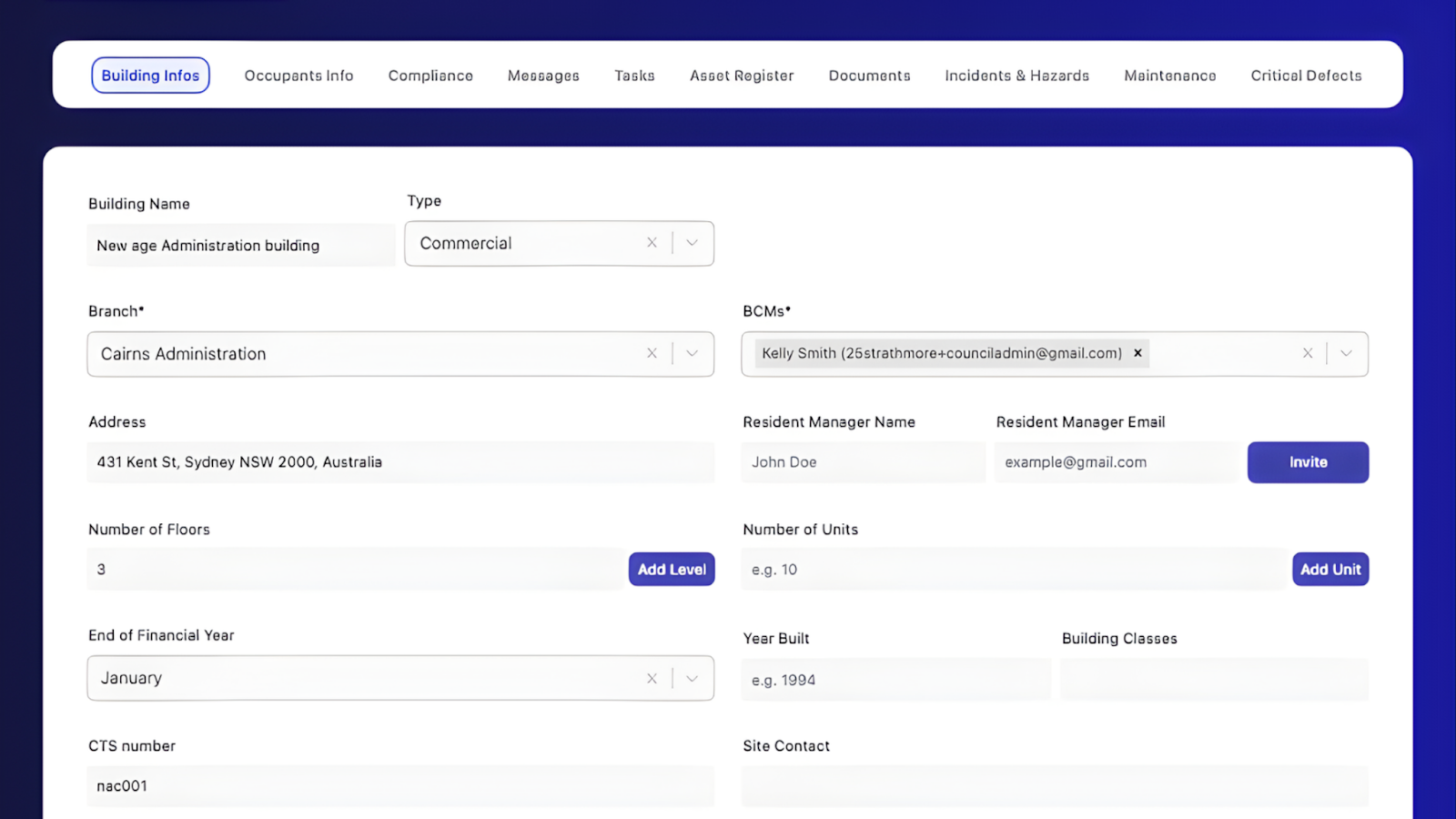
What You Can See Inside the Buildings Tab
The Buildings Tab in Ordit is designed to give strata and building managers a panoramic view of every property they oversee. It brings together structure, performance, and compliance data into a single, easy-to-navigate screen.
Building List View
All buildings managed under your account, each with type, address, branch, and CTS number
Lets you navigate between sites without logging into separate systems
Status Overview
Live updates on audits, compliance, and open tasks for each building
Keeps you aware of potential risks before they escalate
Export & Reports
One-click export to Excel for board meetings or audits
Simplifies reporting and communication with stakeholders
Health Comparison
Quickly compare building performance and issues side-by-side
Identify which sites need immediate attention and which are on track
Scalability Dashboard
View additional buildings as your portfolio grows
Allows expansion without losing visibility or control
Each detail—whether it’s a compliance certificate, audit record, or safety note—is easy to access in just a few clicks. No more searching through folders or switching between accounts.
For strata managers balancing multiple sites, the impact is immediate: more time for decision-making, fewer errors, and better communication across teams.
How the Buildings Tab Simplifies Multi-Property Oversight
- Centralized Control
Manage every building from one login. Ordit organizes your entire property portfolio in a secure dashboard, giving you quick access to site-specific data like audit results, maintenance schedules, and compliance statuses. - Smarter Oversight
Compare compliance across buildings to spot trends and prevent risk. When one property lags behind on inspections or tasks, you’ll know right away—no need to rely on manual tracking or email reminders. - Faster Decision-Making
The visual overview helps managers prioritize issues instantly. Instead of digging through emails or spreadsheets, you can identify which building requires immediate attention. - Built for Scalability
As your portfolio expands, Ordit scales with you. Add new buildings to your dashboard in seconds without slowing down performance or losing oversight of existing properties.
According to Forbes’ analysis on digital transformation in property management, scalable technology is key to reducing risk and enabling teams to manage more assets with the same resources—exactly what Ordit delivers.

Why Ordit Outperforms Traditional Systems
The problem with traditional building management tools is that they focus on single-site use. Each additional building adds complexity—extra logins, more data entry, and duplicated effort. Ordit eliminates that friction by giving every authorized team member access to the same synchronized environment.
In practical terms, this means:
- Managers can see compliance status across multiple addresses without leaving the dashboard.
- Audit progress updates automatically for each property.
- Reports can be exported for owners, tenants, or corporate boards in one click.
- Data remains consistent across the system, reducing redundancy and human error.
That’s the kind of operational control most managers only realize they need after trying to scale the hard way.
For deeper insight into the value of centralized systems, see the Propmodo study on real-time property intelligence, which highlights how digital unification drives both efficiency and accountability across portfolios.
Connecting the Buildings Tab with Other Ordit Tools
The Buildings Tab doesn’t work in isolation—it’s the center of Ordit’s management ecosystem. It connects seamlessly with:
- The Dashboard Tab: for instant visibility into reports, messages, and upcoming deadlines.
(Learn more in our Dashboard Overview Blog). - The Building Info Tab: for granular details on structure, management contacts, and compliance data.
(Explore more in Building Info Tab Explained). - The Audits Tab: for tracking progress, generating compliance reports, and archiving results.
Together, these tabs create a transparent management system that keeps everything aligned, measurable, and accessible.
The Outcome: Clarity at Scale
With Ordit’s Buildings Tab, managers don’t just handle more—they handle better.
What once required multiple logins, disconnected folders, and endless follow-ups now fits into one organized platform. Managers gain immediate insight into portfolio health, identify potential compliance risks early, and report with confidence.
Scaling from one building to ten no longer means added complexity. It means growth backed by clarity.
Ready to Take Control of Your Portfolio?
Discover how Ordit transforms multi-building management into a streamlined, data-driven experience.
Start managing smarter, faster, and with full confidence.