




Scattered Building Information
If you’ve ever managed a building, you know that one of the hardest parts isn’t maintenance or compliance—it’s finding the information you already have.
Most property managers lose hours chasing scattered records, spreadsheets, and emails. One certificate is saved in a shared drive, another in a staff inbox, and critical safety data lives in someone’s desktop folder.
It’s not just frustrating; it’s risky. Lost records can mean missed compliance deadlines, inaccurate reporting, or confusion about who’s responsible for what.
That’s why Ordit built the Building Info Tab—a single, centralized hub that holds every detail about your property.
What the Building Info Tab Does
The Building Info Tab is the backbone of Ordit’s system. It’s where all your building data lives and connects to everything else inside the platform. Think of it as your property’s control room—organized, transparent, and always up to date.
From one screen, you can see:
- Building overview details: name, address, classification, and structural data
- Management information: BCM, resident manager, and their contact details
- Safety and access data: security gate codes, check-in modes, evacuation files, and camera links
- Compliance and audits: last fire audit date, audit fees, and related documentation
Each field is dynamic, meaning it connects to other Ordit features like Compliance, Audits, and QR Code Check-In tabs. When one detail is updated, the rest of your system reflects it instantly.
Why Centralization Matters
When your building’s data is unified, every task becomes faster and more reliable.
You can log in, see your building’s entire profile at a glance, and trust that every record is complete and current.
Here’s what that looks like in practice:
Without Ordit
Searching through five different folders for one document
Confusion over who manages the property
Missed audit reminders
Outdated building classifications
With Ordit
One click to access all files in the Building Info Tab
Contact info for BCMs and managers linked directly in the tab
Automated audit tracking and alerts
Real-time structural data synced with other Ordit tabs
Centralization isn’t just about saving time—it’s about reducing risk and improving how you manage assets long term.
A Closer Look Inside the Tab
So, what exactly do you see when you open the Building Info Tab?
The Building Info Tab brings all your property details, documents, and compliance records into one structured, secure view.
Let’s take a look at what’s inside.
1. Building Overview
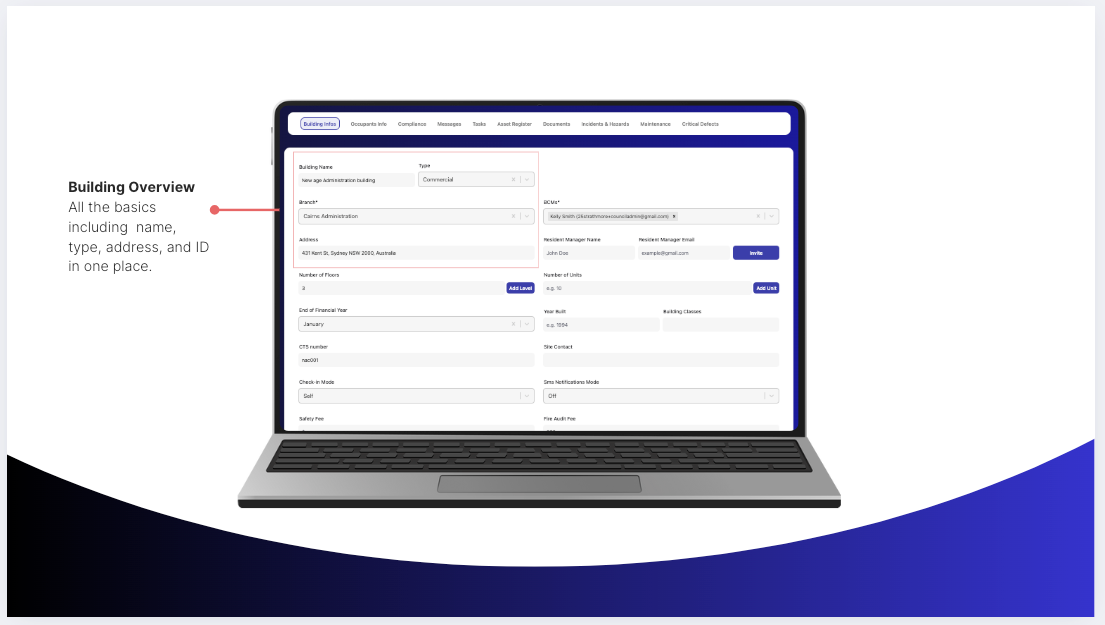
This is where it all starts—the foundation of your building’s digital profile.
Inside this section, you’ll find:
- Building name, branch, and type (commercial, residential, mixed-use)
- Full address and contact details
- Number of floors and units
- Year built, end of financial year, and CTS number
It’s a snapshot that gives you context in seconds. Whether you manage one building or a whole portfolio, you’ll always know the essentials at a glance.
2. Management
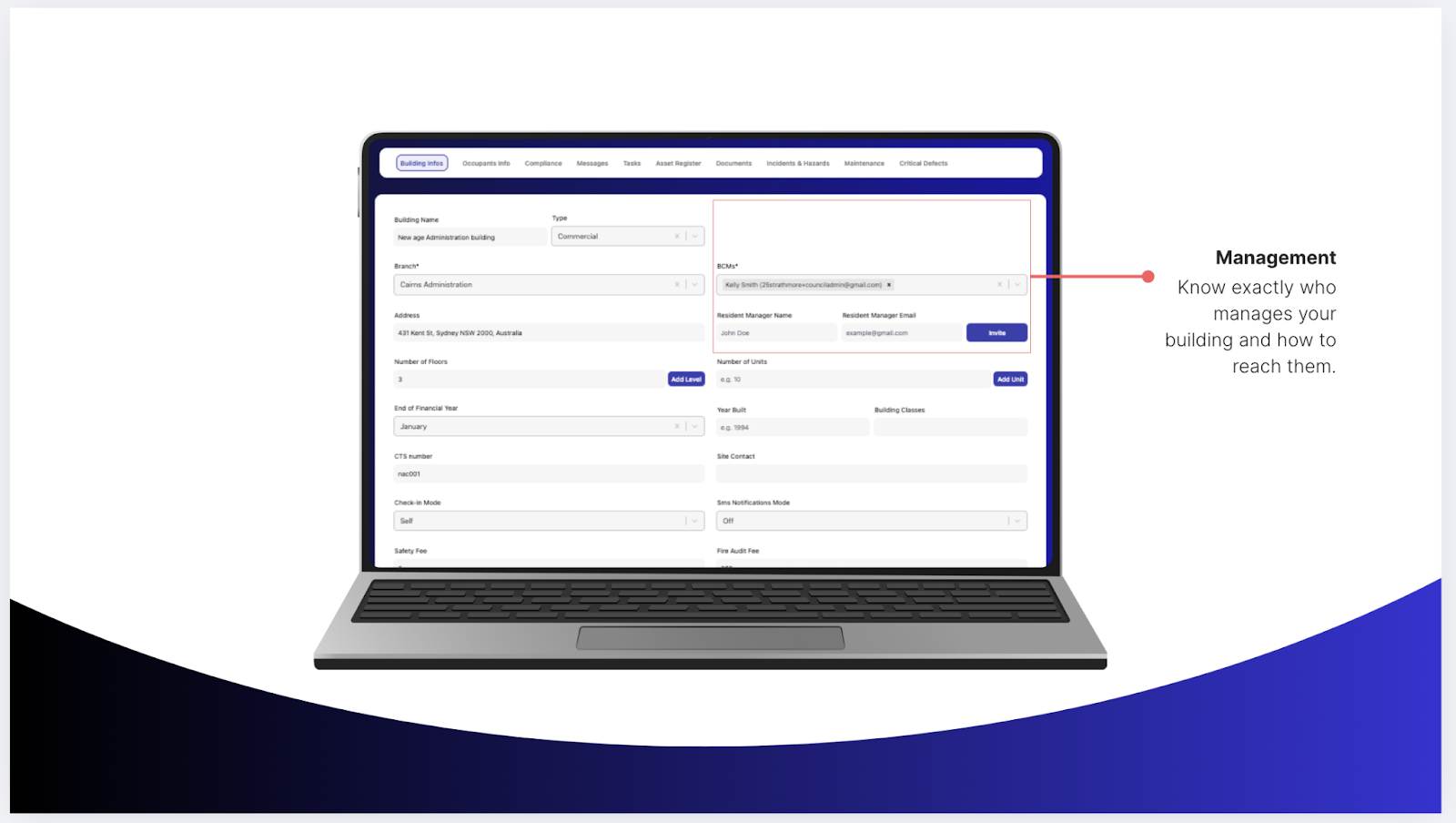
No more guessing who’s responsible for what.
This section gives a clear picture of your building’s management structure, including:
- Body Corporate Manager (BCM) name and email
- Resident Manager name, contact details, and invitation access
- Administrative contacts connected to each site
When a compliance issue or task arises, you can immediately identify the right person—and reach them directly.
Linked automatically to the Messages Tab, communication becomes faster and more reliable across your team.
3. Structure
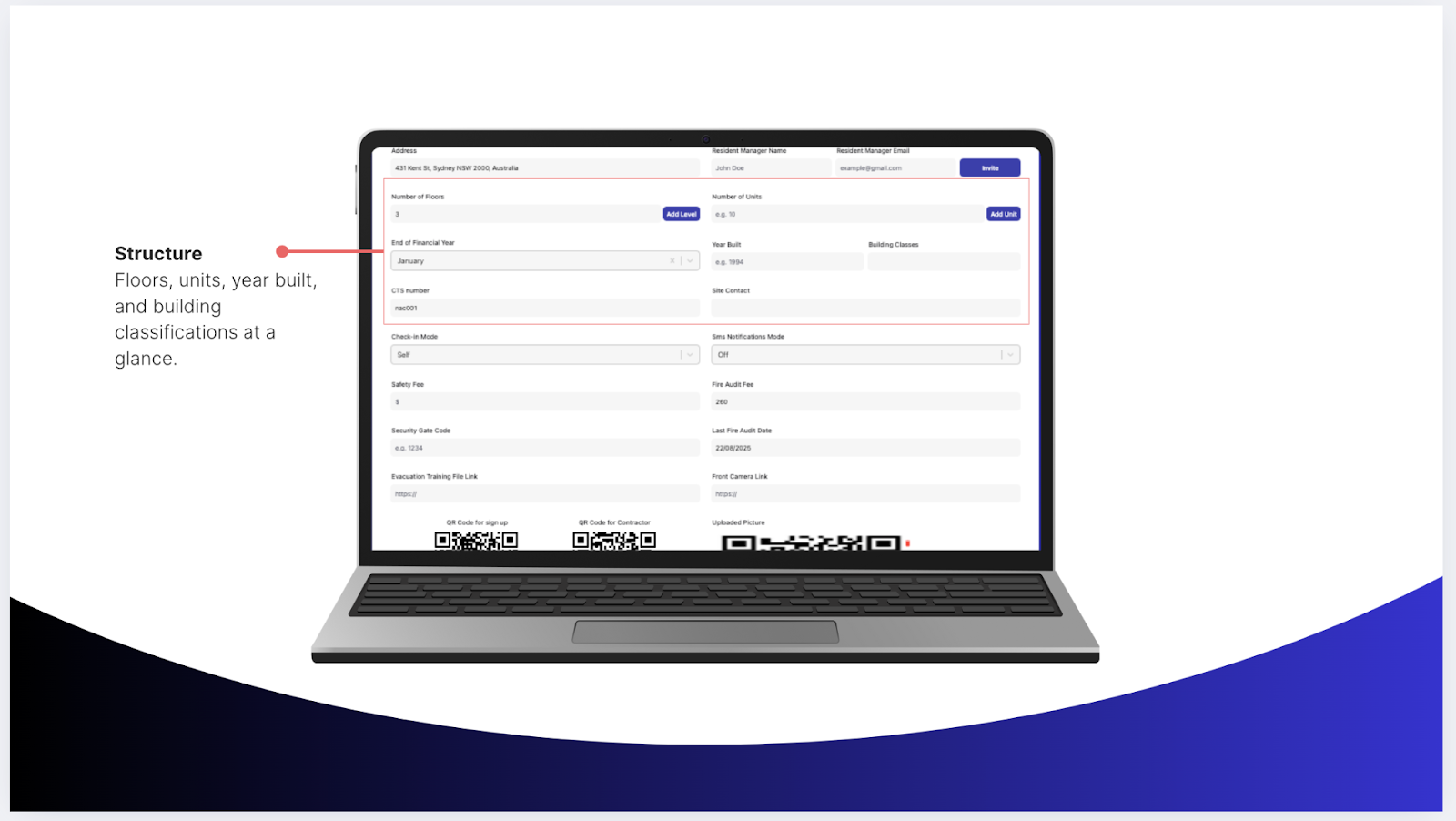
A building is more than its address—it’s a collection of systems and spaces that require oversight.
The Structure section visualizes those details.
Here, you can review:
- Total floors, units, and classifications
- Year built and building category
- Site contact information for inspections or maintenance visits
This live view replaces the need for static PDF diagrams and manual lists. It’s how property managers instantly understand the physical and operational layout of a building.
4. Audits
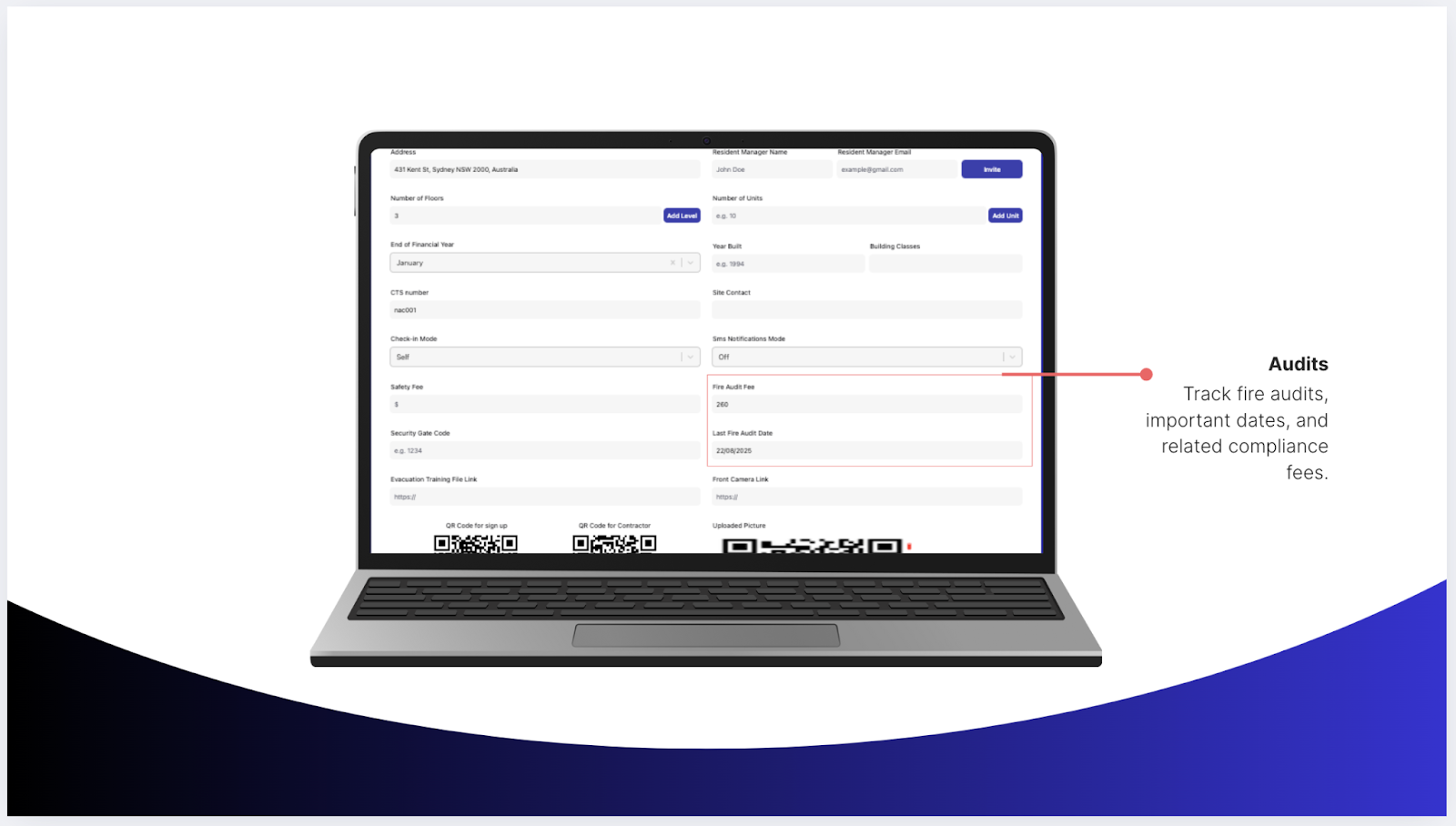
Staying audit-ready is easier when all your data connects.
In the Audits section, you can track:
- Fire audit fees and dates
- Compliance-related costs
- Last and next scheduled inspections
Each record is automatically linked to the Audits & Compliance Tab, giving you a clear record of every inspection, outcome, and requirement—without the manual tracking.
5. Compliance
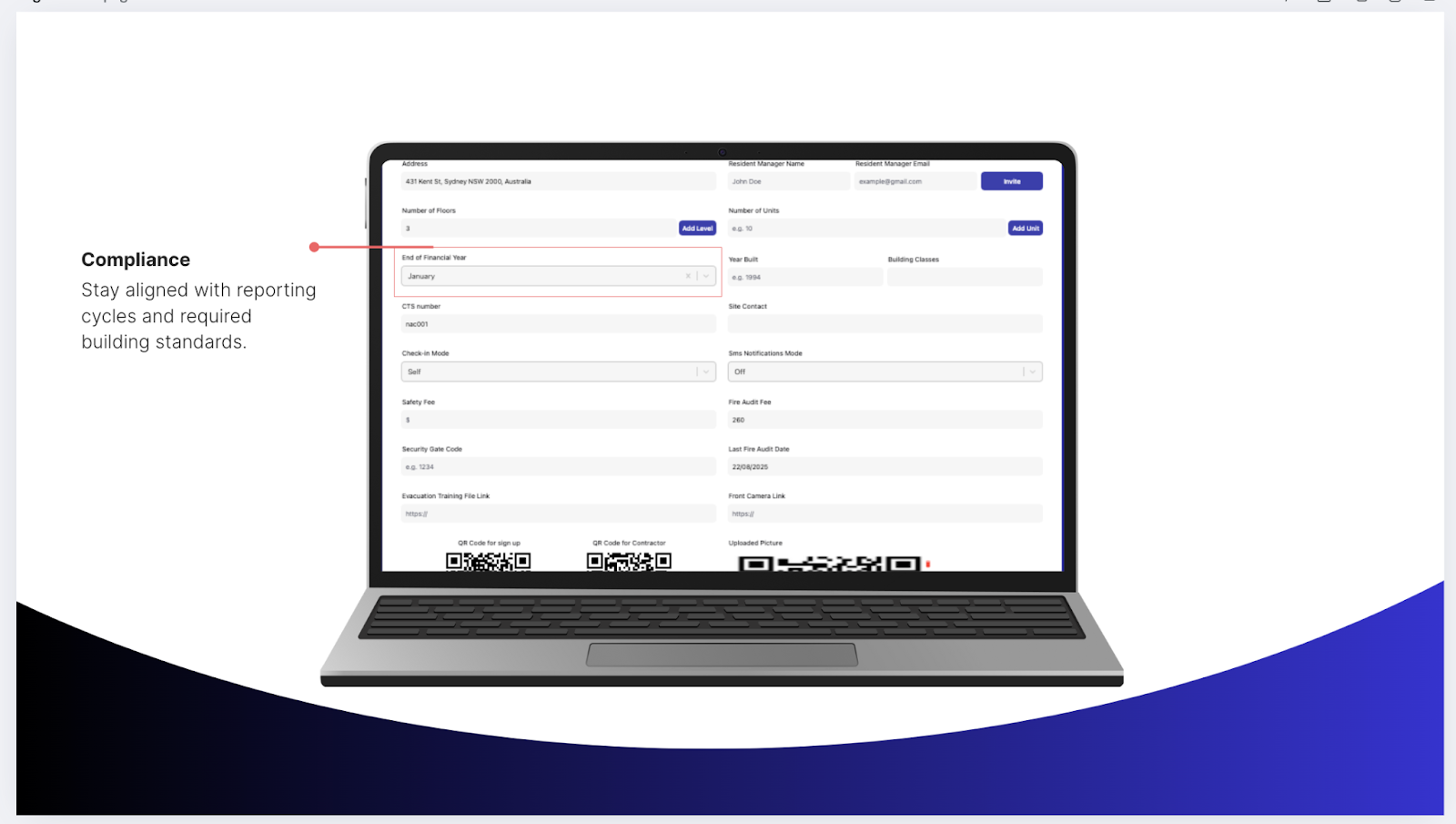
Compliance is the heartbeat of safe, well-managed buildings.
This area ensures you’re always aligned with building standards and reporting cycles.
Here’s what you can manage:
- Required building certifications
- Reporting dates and reminders
- Connected documentation that auto-updates when audits are logged
With the Compliance Tab Overview integrated into Building Info, you’ll never miss a renewal or deadline again.
6. Access & Notifications
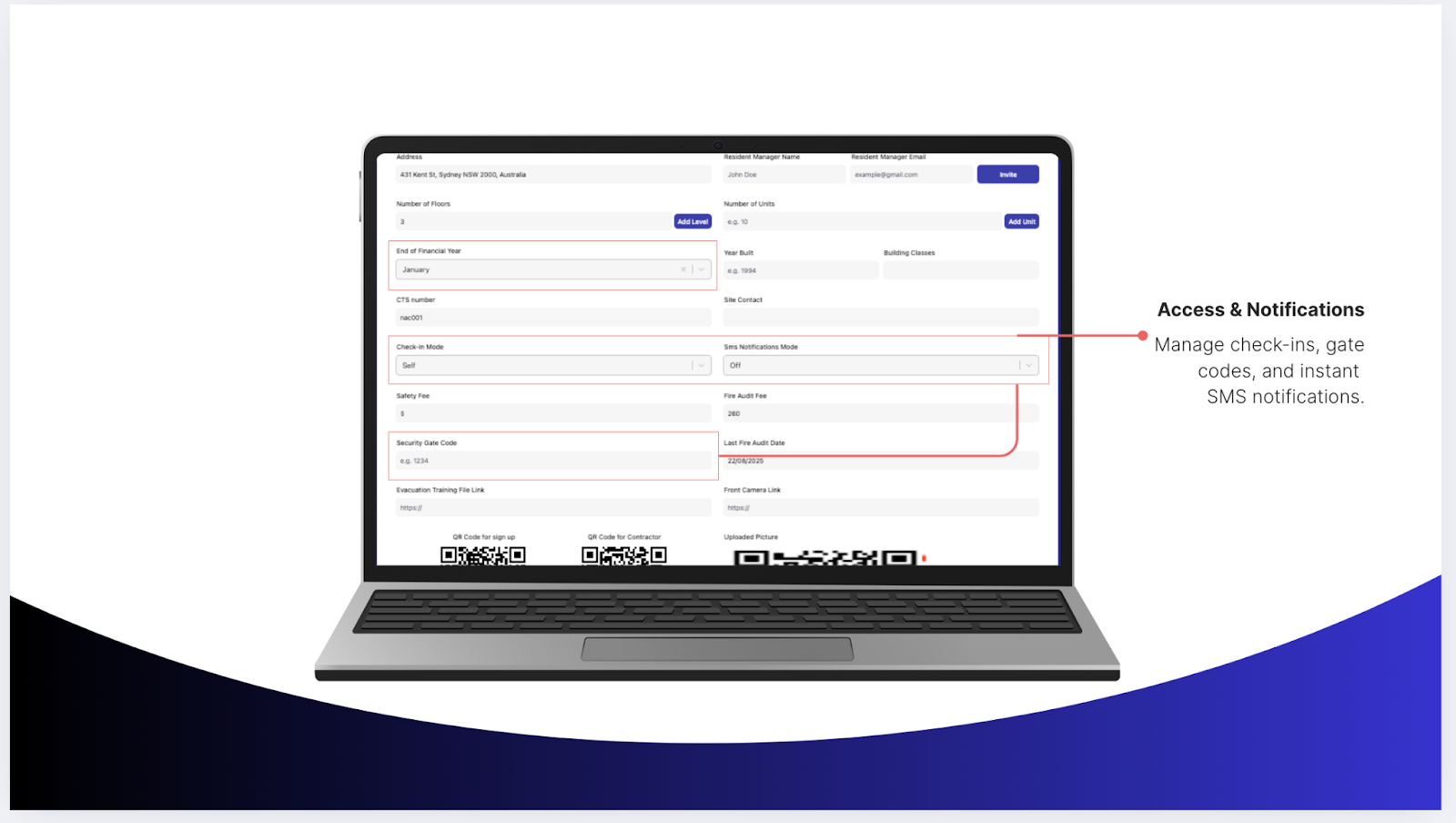
Managing who gets in—and how—is just as important as maintaining the building itself.
Inside this section, you can see:
- Security gate codes and check-in modes
- Visitor and contractor access preferences
- Instant SMS notification settings
It’s a complete digital layer of access control that reduces manual entry logs and human error. Combined with Ordit’s QR Code Check-In System, you gain full visibility of everyone who enters or exits your site.
7. Safety Resources
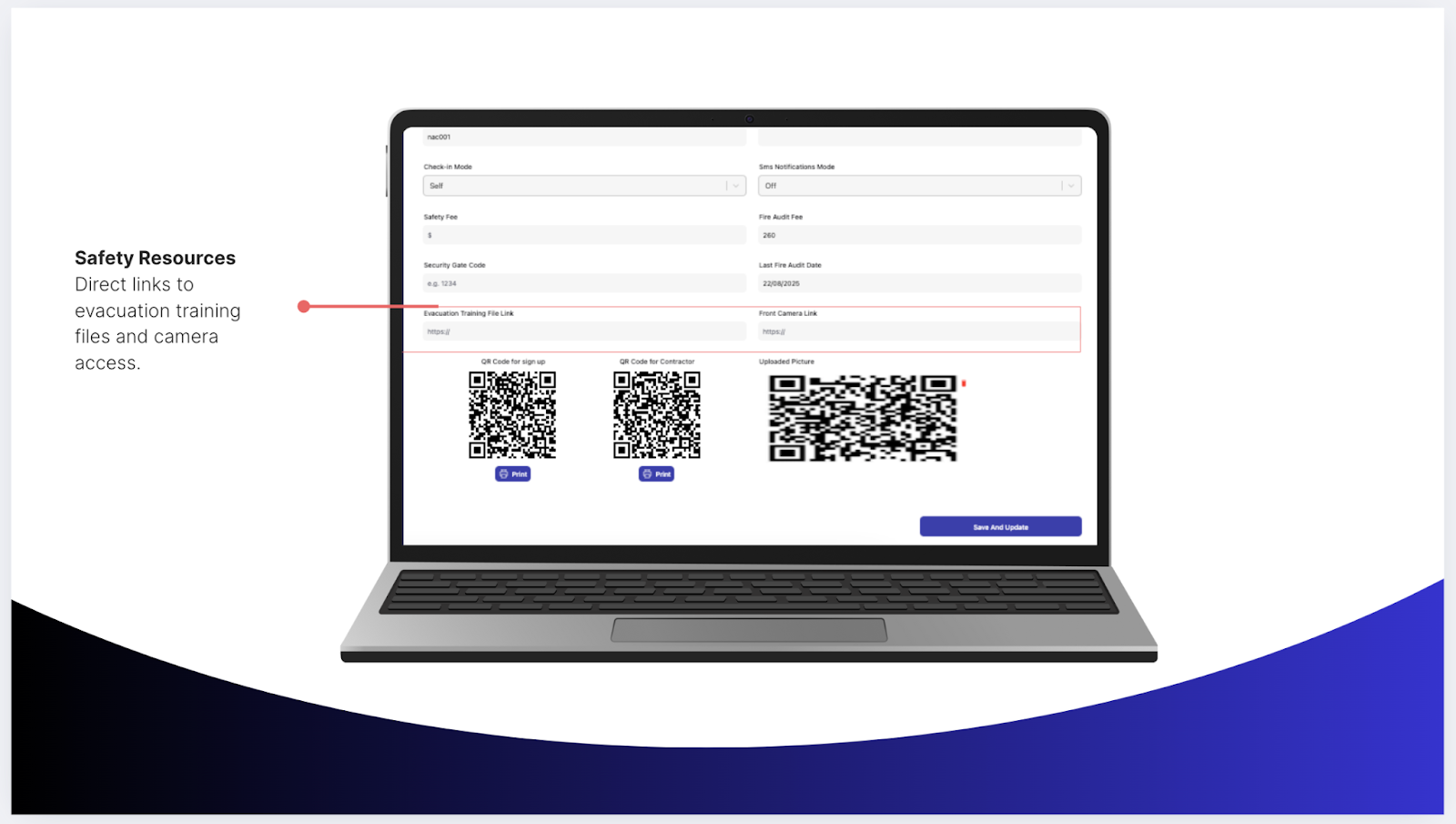
This final section keeps critical safety materials close at hand.
You can store:
- Evacuation training file links
- Emergency procedure documents
- Front camera feeds or monitoring links
Whether it’s a compliance audit or an on-site incident, every safety file is immediately accessible—no searching, no delays.
How It All Works Together
Every field in the Building Info Tab connects to other tabs across Ordit. Update a manager’s contact? It syncs with the Messages Tab. Record a new audit? It reflects in Compliance. Upload a safety file? It appears in Maintenance and Dashboard views.
That interconnected structure turns Ordit into a living ecosystem—one where information flows seamlessly across every function of building management.
You Update and Ordit Automatically Syncs
Audit record -Compliance & Dashboard modules
Manager contact - Messages Tab and related tasks
Evacuation file - Safety and Maintenance Tabs
This interconnected design means you never need to enter the same data twice. It’s all part of Ordit’s mission to simplify how property management systems work—less manual effort, more accuracy.
Getting Started
Using the Building Info Tab is straightforward:
- Log in to your Ordit account at web.ordit.au/login.
- Choose your property from the dashboard.
- Click “Building Info.”
- Add or edit key details such as address, contacts, or compliance data.
- Upload relevant documents or safety links.
- Save changes and see updates reflected across your dashboard.
In less than five minutes, your building profile is complete—and connected.
Why It’s a Game Changer
When you combine organization, accuracy, and automation, the result is control.
Managers who use Ordit’s Building Info Tab report faster audits, fewer compliance issues, and a stronger sense of clarity about every property they oversee.
Instead of reacting to problems, you can plan, delegate, and operate proactively. It’s not just better management—it’s smarter oversight.
Ready to See It in Action?
If you’re ready to stop chasing scattered records and start managing from one connected hub, it’s time to experience Ordit for yourself.
You can book a live demo to see how the Building Info Tab centralizes your building’s data, streamlines compliance, and saves your team hours every week.
With Ordit, everything you need to know about your building is right where it should be—all in one place.